95% Accurate Invoice Data Capture via 10+ AI Agents
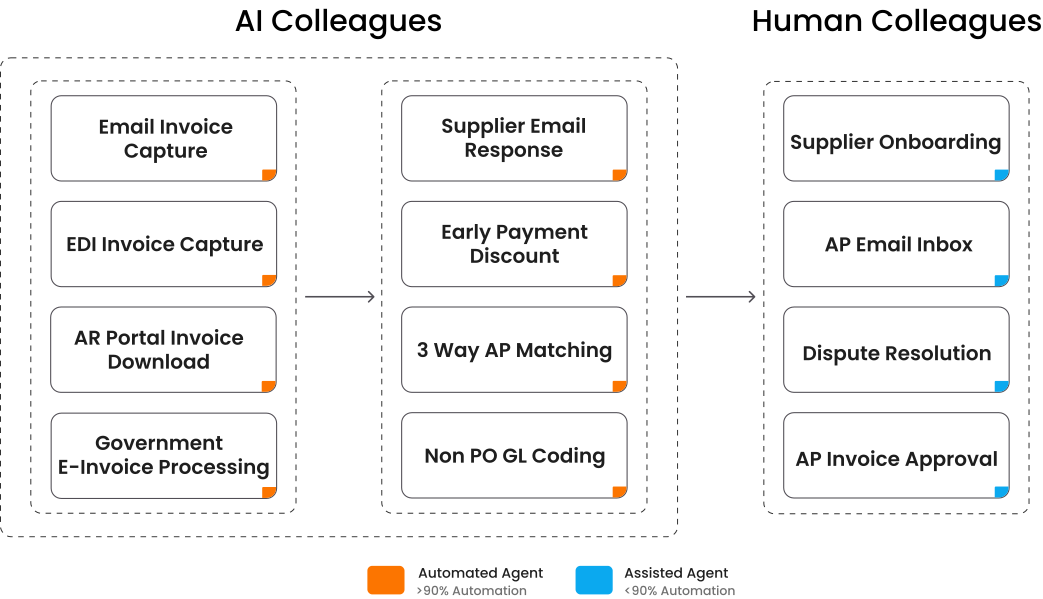
Capture invoices directly from emails. Unlike legacy OCR, HighRadius Iterative Learning engine continuously retrains itself. By observing user overrides, the ML models adapt to your specific supplier formats.

Traditional shared inboxes lead to fragmented communication. Our AI Agentic ensures no supplier request is missed while categorizing the emails in the AP Inbox.

Automates reconciliation of invoices, purchase orders (POs), and goods receipts (GRN). By interfacing directly with your ERP via API, the agent performs multi-level variance checks on price, quantity, and tax.

Auto codes non-purchase order invoices, achieving a 100% auto-coding rate. By analyzing historical coding patterns and invoice content, agent assigns the correct GL account and other accounting dimensions.

85% reduction in cycle times by utilizing LLMs and Decision Trees to auto-approve standard invoices. It routes complex invoices based on company policy.

Automatically captures and processes e-invoices by identifying suppliers, classifying invoices, generating readable documents, and detecting exceptions.

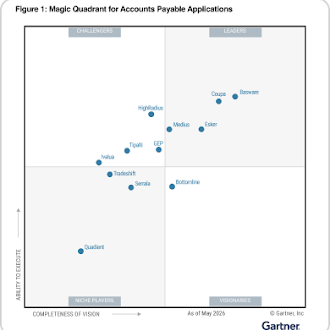
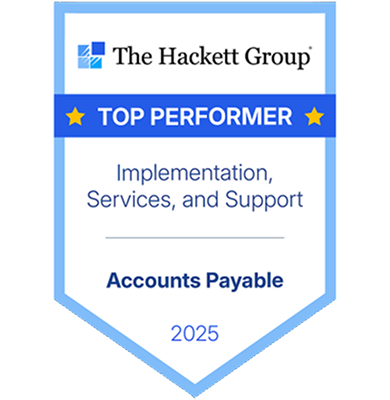

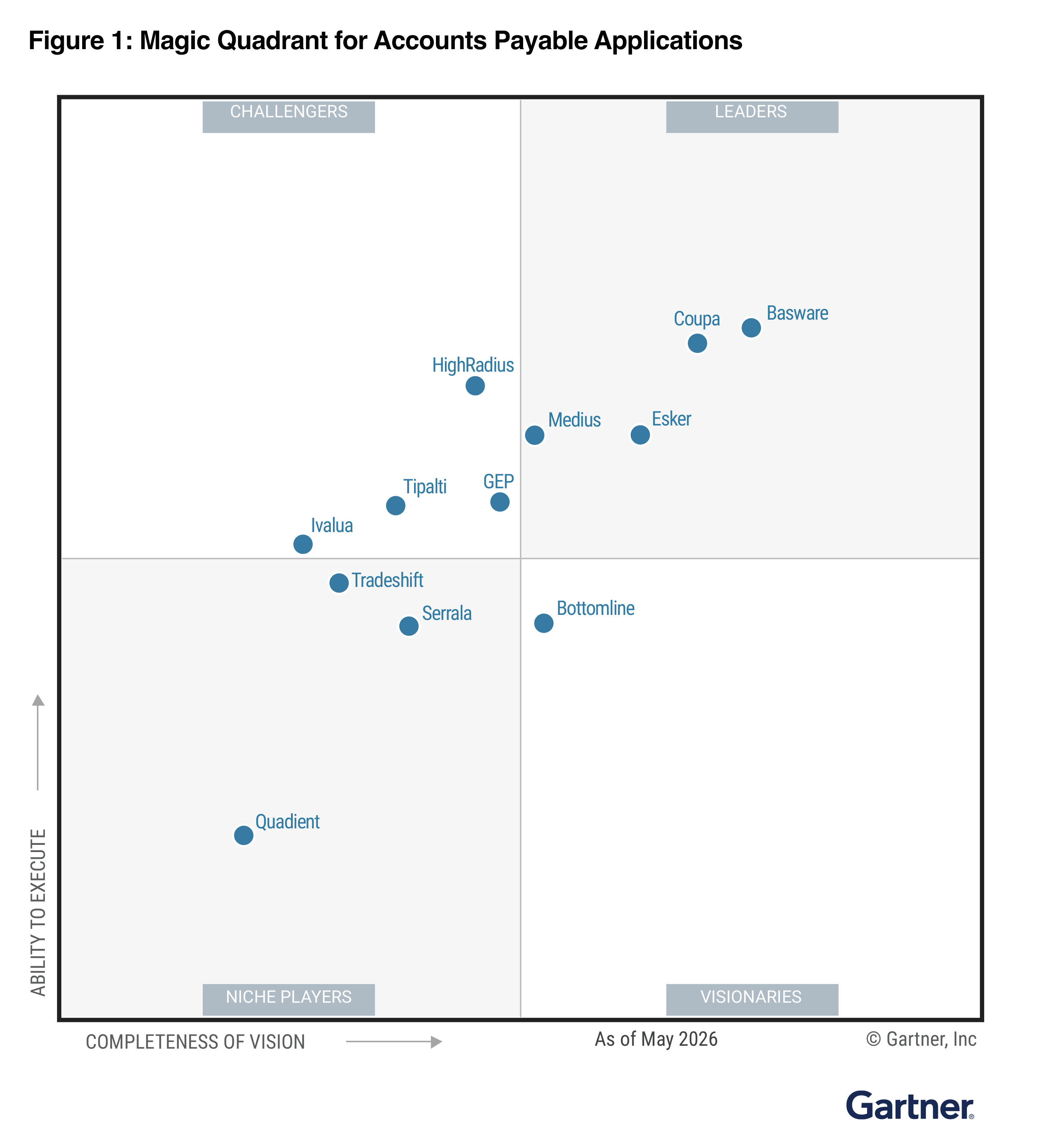
HighRadius recognized By The Hackett Group® as an Advanced Vendor for Accounts Payable Software
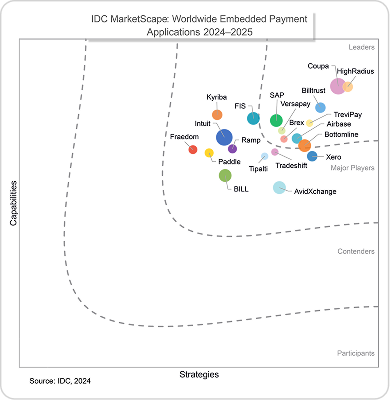

HighRadius Named As A Leader For Worldwide Embedded Payment Applications 2024–2025.
Leverage AI-powered AP automation for SAP to automate invoice capture, PO matching, approval workflows, and ERP posting with native, real-time SAP synchronization.
Read MoreDeploy pre-built AP automation for NetSuite to eliminate manual invoice entry, accelerate approvals, automate PO matching, and maintain real-time financial visibility.
Read MoreStreamline accounts payable for Oracle by automating invoice processing, intelligent coding, approval routing, and payment execution while synchronizing seamlessly with Oracle ERP.
Read MoreTransform accounts payable in Workday with AI-driven invoice capture, intelligent exception handling, automated approvals, and seamless ERP synchronization for faster, touchless AP operations.
Read MoreAutomate high-volume invoice processing, streamline supplier payments, and capture early payment discounts while managing seasonal demand and complex supplier networks.
Read MoreProcess high volumes of supplier invoices, automate PO matching, and improve payment accuracy across stores while optimizing working capital.
Read MoreAccelerate invoice approvals, automate subscription and service invoice processing, and gain better visibility into vendor spend with AI-powered AP automation.
Read MoreAutomate invoice processing for medical suppliers, strengthen compliance, and streamline approvals while improving visibility into healthcare spending.
Read MoreUnify global AP operations by automating invoice processing, PO matching, and approvals while ensuring compliance, reducing payment errors, and gaining real-time visibility across entities.
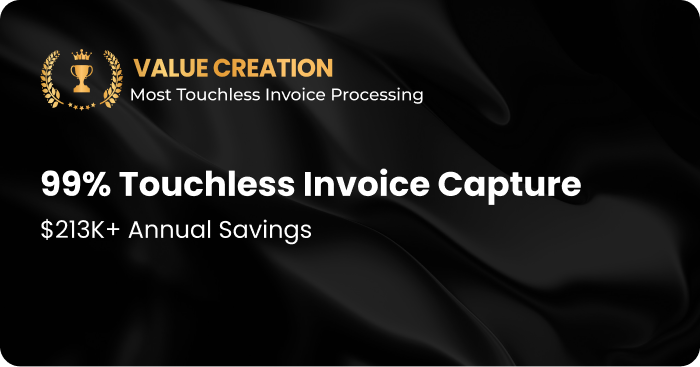
Transform accounts payable with AI-powered invoice processing that delivers up to 90% touchless processing, 85% faster invoice approvals, and 95% invoice data capture accuracy, helping lean finance teams automate AP without adding headcount.
Cut Invoice Processing Costs by 50%
AP automation and accounts payable automation software use AI to extract invoice data from emails, portals, and PDFs, reducing manual errors, drastically lowering processing costs & improving audit readiness.
Accelerate Approvals and Payments
Automated accounts payable speeds approvals by routing invoices based on roles, thresholds, and contextual rules, cutting bottlenecks and shortening cycle time. This accounts payable automation improves cash flow forecasting and ensures vendors are paid on time.
Ensure 100% Policy Adherence & Simplify Compliance
Accounts payable automation software verifies tax details, matches invoices to purchase orders, and validates vendor data automatically to enforce policy checks and strengthen internal controls. This AP automation preserves complete audit trails and simplifies validation for auditors.
Gain Real-Time AP Visibility
AP automation delivers instant, enterprise-grade insights into AP aging, spend patterns, and process efficiency so finance teams can act faster. These insights from automated accounts payable enable smarter working-capital decisions and timelier reporting.
Boost Productivity by 40%
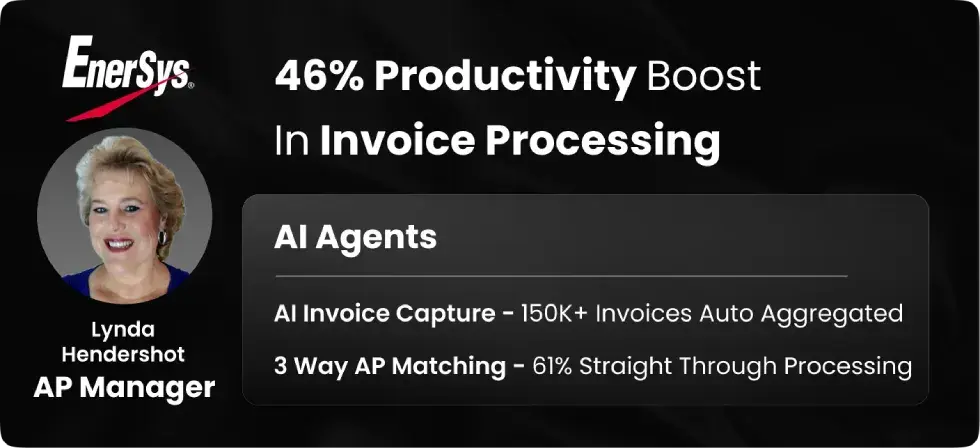
Automated accounts payable removes repetitive tasks with AI-powered inboxes, 3-way matching, and smart workflows—freeing finance teams to focus on analysis and strategy. Accounts payable automation increases throughput and reduces turnaround times.
Fast Implementation and Strong Support
Our AP automation approach is built for rapid deployment and backed by a dedicated support model so enterprises realize value from automated accounts payable quickly and with minimal disruption.
From managers to CFOs, HighRadius helps the entire AP team to achieve their targets.
HighRadius empowers your team with Agentic AI to eliminate repetitive tasks, auto-resolve exceptions, and fast-track invoice processing—so you can focus on what really matters.
HighRadius transforms AP from a cost center into a strategic lever with real-time data, discount capture, and complete control over working capital.
HighRadius offers ERP-native, API-first integration with minimal IT lift—so you can modernize AP workflows without disrupting your core systems.

Discover how to eliminate manual AP bottlenecks, and reduce invoice processing time with this practical AP automation playbook.
Download Guide
Compare AP solutions with a ready-to-use scorecard covering key evaluation criteria to choose the best fit.
Download Template
Spot hidden AP inefficiencies, choose tools with 90%+ automation, and cut processing costs by up to 50%.
Download Guide
HighRadius Agentic AI doesn’t stop at extracting invoice data. It evaluates vendor history, PO-GRN alignment, approval patterns, and even freight thresholds to take context-aware actions—like flagging anomalies, selecting GL codes, or choosing the best approval path—without waiting for human review.

From invoice ingestion to ERP posting, our AI agents operate in coordinated flows. One agent captures invoice data, another validates against POs and GRNs, while a third handles exception resolution. Tasks are triggered and completed autonomously, accelerating throughput and reducing AP cycle time.

HighRadius Agentic AI enables seamless collaboration between AP, procurement, finance, and business units. For instance, an agent resolving a quantity mismatch can automatically alert the receiving team, or route coding queries to budget owners—minimizing email trails and manual escalations.

Agentic AP Automation scales effortlessly with invoice volumes—no proportional increase in staff is required. Agents self-learn from override behavior, prioritize worklists, and dynamically rebalance workloads, ensuring continuity during quarter-end peaks or sudden growth.
Capturing invoice data is just the starting point. Modern accounts payable automation software should automate the entire invoice lifecycle—from understanding invoices in any format and extracting header and line-item data to intelligently matching invoices with purchase orders, assigning GL codes, detecting anomalies, routing approvals, and posting transactions to your ERP.
Unlike traditional OCR-based solutions that rely on templates and static rules, AI-powered platforms like HighRadius combine document understanding, intelligent automation, and continuous learning to process invoices with minimal manual intervention. The result is faster processing, fewer exceptions, greater accuracy, and an AP operation that scales without adding headcount.

Manual AP is costing your business time and money. Here’s how AP automation software transforms efficiency, accuracy, and compliance at scale.
| Feature | Automated Accounts Payable | Manual Accounts Payable |
|---|---|---|
| Invoice Processing Speed | AI-powered AP automation software captures and routes invoices instantly for faster approvals. | Manual entry and routing cause delays and bottlenecks. |
| Error Reduction | Automated accounts payable reduces data entry mistakes with AI-driven validation. | High risk of errors due to manual input and paper-based processes. |
| Scalability | Easily handles growing invoice volumes across multiple entities and geographies. | Limited by team capacity and manual workload. |
| Compliance & Validation | AP automation ensures tax compliance, PO matching, and audit readiness. | Manual checks increase risk of non-compliance and missed validations. |
| Cost Efficiency | Reduces overhead by cutting repetitive tasks and improving cycle times. | Labor-intensive with higher operational costs. |
| Visibility & Control | Provides real-time dashboards and insights into AP performance. | Lacks transparency, making forecasting and cash flow planning difficult. |

With HighRadius' Agentic AI-powered AP automation platform, invoice processing costs can be cut by 50%, productivity boosted by 40%, and compliance ensured.
Book a Discovery Call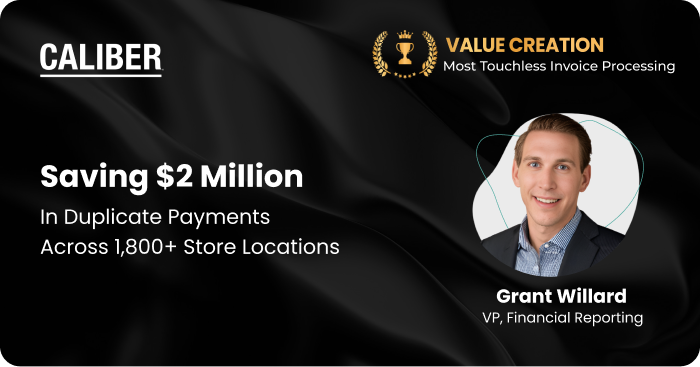
Accounts Payable (AP) automation software is a software that is specifically designed to simplify and streamline the entire accounts payable process, addressing inefficiencies and reducing the manual workload associated with traditional methods. This robust software automates critical tasks such as capturing invoices from multiple sources (email, EDI, or even paper via scanning and OCR).
Key invoice information, including vendor details, invoice amounts, and due dates, is extracted and routed for necessary approvals. Once invoices are approved, payments can be processed electronically through the same AP automation software. It empowers organizations to save time, cut costs, and boost operational efficiency.
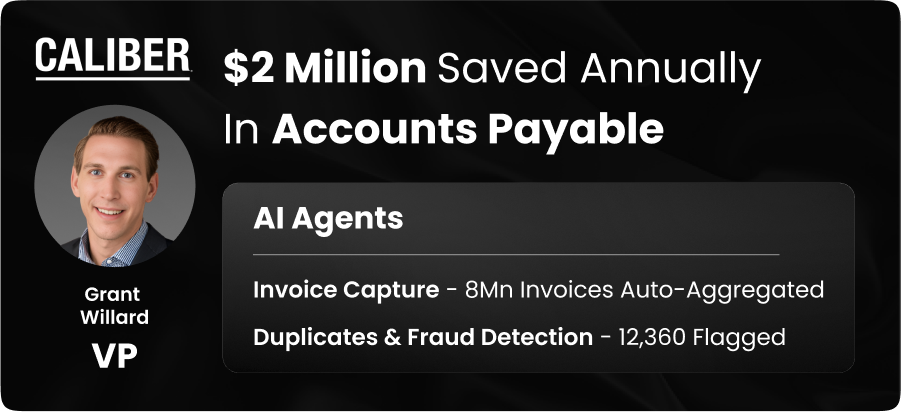
Yes. One of the key AP software features is the ability to identify and prevent duplicate payments before they occur. AP automation software automatically validates invoices by comparing vendor details, invoice numbers, PO references, amounts, and payment records. If a potential duplicate or discrepancy is detected, the system flags it for review before payment is processed. Combined with features like AI-powered invoice matching, approval workflows, and ERP synchronization, these automated controls help improve payment accuracy, strengthen financial controls, and reduce unnecessary costs.
Yes, AP automation software is instrumental in enhancing supplier relationships by fostering trust and reliability. The software ensures faster and more accurate payment cycles, reducing delays that could otherwise harm vendor relationships.
Many AP automation platforms provide supplier portals, enabling vendors to track invoice statuses, submit invoices, and communicate directly with buyers. Additionally, automated payment notifications keep suppliers informed about payment schedules, providing transparency and assurance. By creating a seamless and reliable payment process, AP automation software helps businesses build goodwill and secure favorable terms, such as discounts or priority services, from their suppliers.
AP automation software offers multiple methods for capturing and processing vendor invoices to suit diverse business needs:
These flexible intake options ensure that AP automation software can process invoices efficiently, regardless of their format, speeding up workflows and minimizing errors. Flexible intake methods are standard in ap automation and accounts payable automation systems.
Yes, AP automation software is equipped with robust security measures to deter invoice fraud. Features such as multi-factor authentication protect access to the system, while data validation checks flag inconsistencies in vendor details or invoice amounts.
Many AP automation solutions also leverage AI-powered fraud detection to analyze patterns and anomalies, identifying potential fraudulent activity like duplicate invoices or inflated amounts. Automated workflows further enforce strict approval controls, ensuring that all invoices are reviewed and authorized before payment. By integrating these security measures, AP automation software helps businesses mitigate fraud risks and protect their financial resources.
AP software goes beyond simple invoice data entry by automating the entire accounts payable workflow: invoice capture, validation, matching, approvals, and payments. Unlike basic invoice-processing tools, AP automation software integrates with ERPs, supports exception handling, and provides visibility into spend, helping enterprises scale efficiently.
Common challenges when implementing an accounts payable automation system include poor data quality, lack of integration with existing ERP systems, and resistance to process change. Enterprises should also consider vendor compatibility, security compliance, and user adoption to ensure smooth deployment and maximum ROI.
The best software for accounts payable should automatically code non-PO invoices, handle multi-currency transactions, and comply with regional tax and e-invoicing rules. It should centralize AP operations across global entities and integrate seamlessly with multiple ERPs to maintain consistent workflows and visibility across business units.
Accounts payable software is available in cloud, on-premises, and hybrid models. Cloud-based AP software offers faster implementation, lower maintenance costs, and greater scalability. On-premises systems offer more control but require dedicated IT resources, whereas hybrid models strike a balance between flexibility and enterprise-grade security and integration options.
Large organizations need more than basic invoice capture and approval routing. They look for platforms that can handle complex, multi-entity workflows, high invoice volumes, strict compliance requirements, and deep ERP integrations across multiple systems. Strong analytics, governance controls, and scalability are non-negotiable at this level, and this is where ap automation vendors show clear differences in their ability to support enterprise-grade operations.
The cost of AP automation is determined by invoice volume, the number of users, and the depth of ERP integration. HighRadius utilizes a SaaS-based subscription model designed to shift costs from capital expenditure (CapEx) to operational expenditure (OpEx).
Cost Drivers: Pricing is influenced by transaction volume, global entity support, and the complexity of multi-ERP environments.
Inclusive Value: Subscriptions generally include AI-driven data extraction, cloud hosting, 24/7 global support, and continuous software updates.
Yes, AI-powered capture significantly outperforms traditional OCR. While legacy OCR relies on fixed templates to “read” text, Agentic AI understands the intent and context of the data.
Template Independence: AI is template-agnostic, meaning it can accurately extract data even if a supplier changes their invoice layout.
Continuous Learning: Unlike static OCR, AI uses machine learning to improve accuracy over time based on user interactions.
Data Integrity: AI identifies complex line-item details, SKU mappings, and tax codes that standard OCR often misses, enabling Straight-Through Processing (STP).
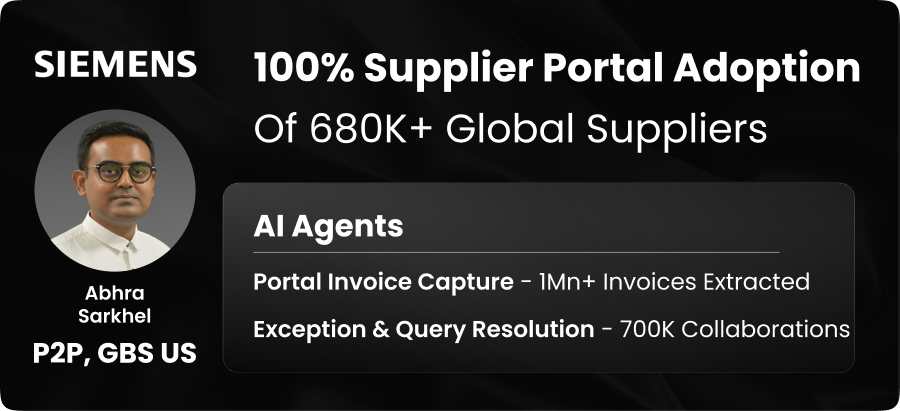
Yes. Suppliers interact with HighRadius through a self-service portal and automated communication channels. This enables them to manage their own onboarding, banking updates, and invoice tracking without manual intervention from your AP team.
Self-Service Onboarding: Suppliers initiate their own integration by completing Profile Creation and uploading Onboarding Documents (registration and compliance) directly through the portal after receiving an eInvitation.
Banking & Security: Vendors manage their own payment data by using Instant Account Verification to securely link their bank via a third-party service or by performing Penny drop verification to confirm account ownership.
Order Management: Suppliers have 24/7 visibility into their Purchase Orders (POs). They can formally Acknowledge, Reject, or provide Partial Acceptance of orders, as well as upload fulfillment documents like ASNs and Bills of Lading.
Direct Invoicing: Suppliers submit invoices through three specific methods:
PO Flip Invoicing: Generating a digital invoice directly from an existing PO.
Manual Creation: Filling out a structured form for non-PO expenses.
Digital Exchange: Using eInvoice Import to sync EDI, XML, or Peppol Biz files.
Real-Time Tracking: Using Invoice Portal Sync, suppliers can instantly see the status of their submitted invoices and track payments, significantly reducing “Where is my payment?” inquiries.
Implementation timelines vary based on your business size, ERP landscape, and process complexity. With HighRadius AP Automation Software, organizations can accelerate deployment through AI-powered invoice processing, pre-built ERP integrations, and configurable approval workflows. Most businesses start realizing value within weeks, while enterprise-wide implementations may take a few months depending on customization and integration requirements.