According to the Association for Financial Professionals (AFP), 81% of organizations say digital payment technologies have reduced manual processes in their finance operations.
Yet many businesses still manage payments using spreadsheets, email approvals, and manual reconciliation. These processes slow down finance teams, increase the chances of errors, and make it difficult to get a clear picture of cash flow.
This is where B2B payment software plays an important role. Instead of managing invoices, approvals, and payments separately, businesses can automate the entire process. Modern B2B payment platforms help finance teams automatically capture invoices, route them for approval, schedule payments, and reconcile transactions without extensive manual work.
In this guide, we explain how B2B payment software with automation works in practice. You will learn how payment processors support transactions, what payment methods businesses commonly use, such as ACH transfers, wire transfers, cards, and digital wallets, and how automation helps finance teams improve accuracy, security, and financial visibility.
By the end, you will have a clear understanding of how companies are modernizing their payment operations and how the right B2B payment automation strategy can help finance teams reduce manual work, improve payment accuracy, and manage payments at scale.
A payment processor is the technology that enables businesses to accept and process customer payments. It transfers payment information between the business, the customer’s bank, and the merchant’s bank so a transaction can be approved and completed.
In simple terms, the processor acts as the communication engine behind payment processing. When a customer submits payment details, the processor securely sends the request to the appropriate bank for verification, then returns the approval or rejection to the business.
This process usually takes only a few seconds. During this time, the issuing bank verifies whether the card or account is valid and whether sufficient funds or credit are available. If everything checks out, the transaction is authorized.
It is important to understand that payment processors handle authorization and settlement. Still, they do not manage the entire payment lifecycle. Platforms like B2B payment software or payment automation systems typically handle tasks such as invoicing, payment scheduling, reconciliation, and reporting.
For businesses handling large transaction volumes, payment processors form the foundation of merchant payment processing. At the same time, automation platforms help manage the operational side of payments. For a deeper understanding of the infrastructure behind digital payments, let us understand how payment gateways work in online payments.
Payment gateways and payment processors – these terms are often used interchangeably. This is because payment processors and payment gateways work closely together to complete a transaction. They are separate entities, however.
|
Payment gateway |
Payment processor |
|
A payment gateway is a technology or software that reads the payment card information and sends it to the seller’s (merchant’s) bank for processing via the payment processor. The payment gateway is the customer-facing interface. It lets the customer know immediately if the transaction is approved or rejected. |
The payment processor is a company that helps manage card transaction processes. They function as mediators between customers, merchants, and their respective banks. The payment processor does not directly interact with the customer unless there is a dispute on the transaction. |
In other words, B2B payment gateways are the online counterparts of a point-of-sale (POS) terminal for your business, which means they accept online payments. Payment gateways ensure the secure transmission of online payment data to the payment processor. If a payment is declined, the payment gateway informs the merchant and the customer.
In B2B transactions, payment processors act as intermediaries that route payment data between systems and banks so transactions can be authorized and settled. Here is what happens during each step.
A customer or business submits payment information through an online portal, checkout page, or billing platform.
The payment gateway securely collects the payment information and sends it to the processor.
For a deeper comparison, see our article on the differences between payment gateways and payment processors.
The processor forwards the request through card networks and sends it to the customer’s bank to request payment authorization.
The issuing bank checks whether the account is valid, whether sufficient funds or credit exist, and whether any fraud signals are detected.
The bank sends an approval or decline message back through the processor and gateway, informing the merchant whether the payment can proceed.
After authorization, transactions are batched and processed for settlement, during which funds move from the customer’s bank to the merchant’s acquiring bank account. This typically takes one to three business days.
This process forms the core infrastructure of merchant payment processing, ensuring businesses can accept digital payments securely and reliably.
Several entities work together behind the scenes to complete a payment transaction. Each participant has a specific role in the payment processing ecosystem.
The business that accepts payments from customers for goods or services.
The individual or business that initiates the payment using a card, bank transfer, or digital payment method.
A technology layer that captures payment details and securely transmits them to the payment processor for authorization. If you want to explore this component further, read our guide on payment gateway software for businesses.
The financial institution that issued the customer’s debit card, credit card, or payment account. It verifies funds and approves or declines the transaction.
Also known as the merchant’s bank, the acquiring bank receives approved transactions and deposits the funds into the merchant account.
The service provider that connects all participants and manages the communication required for payment authorization and settlement processing.
B2B payment software is a tool that automates and manages financial transactions between businesses, streamlining the entire payment cycle efficiently. This technology transforms the traditional payment landscape, ensuring fast, accurate transactions with minimal manual intervention.
It’s essential for businesses seeking streamlined financial workflows and improved operational efficiency, providing a robust platform for reliable and expedited B2B transactions.
One of the biggest advantages of B2B payment automation is that it removes manual steps from the payment lifecycle. Instead of finance teams entering data and tracking payments across systems, the platform automates each stage.
The process usually begins with invoice processing. Modern B2B payment platforms can capture invoices directly from email, uploads, or ERP systems. Optical character recognition and data extraction tools automatically read invoice details, including vendor name, payment amount, and due date. This reduces manual data entry and helps prevent duplicate invoices or missing information.
Once the invoice is validated, the system routes it through predefined approval workflows. These rules are often based on department, invoice value, or vendor category. Managers receive notifications and can review invoices digitally, which helps speed up the approval cycle while maintaining proper financial controls. This stage is often part of broader accounts payable automation systems.
After approval, the platform initiates the payment using the selected payment method. Businesses can schedule payments through ACH transfers, wire transfers, virtual cards, or other digital payment channels, depending on vendor preferences. Because the system handles scheduling and payment routing automatically, finance teams avoid delays and ensure payments are executed on time.
Once a payment is completed, the system automatically matches it with the correct invoice and purchase order. This reconciliation automation eliminates the need for manual spreadsheet matching, helping finance teams close their books faster.
Modern B2B payment software offers several capabilities that help businesses manage payments more efficiently and securely.
Payment orchestration enables companies to manage multiple payment methods from a single platform. Businesses can route transactions through ACH transfers, cards, wires, or digital payment channels while maintaining centralized control. This flexibility ensures payments are executed using the most efficient method for each vendor.
Automation reduces the need for manual intervention across the payment lifecycle. From invoice capture to payment execution and reconciliation, automated workflows help finance teams manage high transaction volumes with fewer errors.
Most B2B payment platforms integrate directly with ERP and accounting systems. This ensures that invoices, payment records, and financial entries automatically sync across systems, eliminating duplicate data entry and improving financial accuracy.
Security features such as multi-factor authentication, role-based approvals, and fraud detection tools help protect payment data and reduce the risk of unauthorized transactions.
These controls are particularly important as businesses process larger payment volumes digitally.
Automated reconciliation ensures every payment is matched with the correct invoice and financial record. This gives finance teams a clear view of payment status and simplifies month-end closing.
Together, these capabilities allow businesses to move beyond basic payment processing and adopt a more scalable payment automation strategy.
Businesses use several payment methods to send and receive B2B payments. The choice usually depends on the transaction value, vendor preference, payment speed, and processing cost. In many organizations, finance teams manage a mix of payment channels.
Some vendors prefer ACH payments, others rely on wire transfers, and some still use checks or lockbox payments. Larger enterprises may also use card payments or direct debit for recurring. Let’s look at the most common payment methods used by businesses:
ACH, or Automated Clearing House, is an electronic bank transfer system that moves money directly between bank accounts. These payments are commonly used for vendor payments, recurring subscriptions, and invoice settlements. These are one of the most widely used payment methods for domestic business transactions in the United States.
One of the main advantages of ACH payments is cost efficiency. Compared to card payments or wire transfers, ACH transactions usually have lower processing fees. This makes them a preferred option for companies that process a high volume of routine payments. However, ACH payments typically take one to three business days to settle. While this delay is acceptable for many B2B transactions, businesses that require immediate settlement may choose faster payment methods.
Wire transfers are commonly used for high-value or time-sensitive B2B payments. Unlike ACH payments, wire transfers move funds directly between banks without going through a batch clearing process. Because of this, the payment is usually processed the same day.
Businesses often rely on wire transfers for large supplier payments, international transactions, or situations where payment speed is critical.
The main drawback is cost. Wire transfers usually carry higher transaction fees compared to other payment methods. This is why companies often reserve them for high-value transactions rather than everyday payments.
Virtual cards are becoming an increasingly popular option for B2B payments, particularly for businesses looking to streamline vendor payments. A virtual card is a digitally generated card number that can be used for a specific transaction or vendor payment. Since the card details are generated for each payment, the risk of fraud is reduced.
Another advantage of card payments in B2B transactions is the potential for rebate benefits. Many companies receive a percentage of the transaction value back from their card provider, which helps offset payment processing costs. Virtual cards also provide strong transaction tracking, making reconciliation easier for finance teams.
Despite the growth of digital payments, many businesses still rely on checks for certain types of B2B transactions. Checks are often used by companies with long-established vendor relationships or in industries that have not fully transitioned to electronic payments.
However, checks require manual processing. They must be printed, mailed, deposited, and reconciled. This increases administrative effort and slows down payment cycles. To streamline this process, some companies use lockbox payments. In a lockbox arrangement, customers send checks to a bank-managed address where the bank collects, deposits, and processes the payments on behalf of the business. Lockbox services reduce manual work for finance teams, but they still rely on paper-based payment processes.
Direct debit allows businesses to automatically collect payments from a customer’s bank account once authorization is provided. This payment method is commonly used for recurring B2B transactions such as subscription services, contract payments, or long-term supplier agreements. Direct debit reduces the need for manual payment initiation because payments are triggered automatically according to an agreed schedule.
B2B payment automation helps organizations modernize their financial operations by replacing manual processes with intelligent workflows that streamline approvals, payment execution, and reconciliation. By integrating financial automation into accounts payable operations, businesses gain greater control over payments, improve efficiency, and reduce operational costs.
Below are some of the most important benefits organizations achieve when adopting payment automation platforms.
One of the most immediate advantages of payment automation is faster payment execution. Traditional payment processes often involve multiple manual steps, including invoice verification, approval routing, and manual entry into banking systems. Automation eliminates these bottlenecks by digitizing the entire workflow. Invoices are captured automatically, approvals are routed instantly, and payments can be executed through integrated banking connections.
As a result, organizations can:
Manual data entry and fragmented systems significantly increase the likelihood of errors in financial operations. Incorrect payment amounts, duplicate payments, and mismatched invoice records can create costly reconciliation issues.
Payment automation reduces these risks by standardizing workflows and minimizing manual intervention. Automated data extraction, validation rules, and system-driven approval workflows ensure that invoice and payment data remain consistent throughout the process.
Manual payment processes often make it difficult for finance leaders to gain real-time visibility into payment obligations and outgoing cash flows. Information is scattered across spreadsheets, email threads, and disconnected systems.
With financial automation, payment data is centralized within a single platform that tracks invoices, approvals, payment execution, and reconciliation in real time.
This improved visibility allows organizations to:
Manual payment processes can increase operational costs through administrative effort, inefficient payment methods, and higher banking fees. For example, paper checks involve printing, postage, and manual handling, while fragmented payment systems often create redundant processing steps.
Payment automation helps organizations reduce these costs by optimizing payment execution. Intelligent routing can select the most efficient payment method for each transaction while minimizing processing overhead. Automation also reduces administrative workloads for finance teams, allowing them to focus on strategic tasks rather than manual payment handling. Over time, optimized payment processing workflows lead to significant operational cost savings.
Payment fraud remains a growing concern for businesses, especially as payment volumes and digital transactions increase. Manual payment processes often lack the controls needed to detect suspicious activity promptly.
Modern payment automation platforms incorporate built-in fraud-prevention mechanisms, such as approval hierarchies, payment validation rules, and anomaly detection systems. These controls help ensure that payments are verified and authorized before funds are released.
Additionally, automated workflows create a complete audit trail of invoice approvals, payment authorizations, and transaction records, making it easier to identify and investigate unusual activities.
Now that we understand the importance of B2B payment software, let’s take a closer look at how to choose it in 2026.

The first step in adopting B2B payment processing software is to determine your business needs. Ask questions like – What are the pain points in your current payment process? What features do you need in payment processing software? Do you need a cloud-based solution or an on-premises solution?
Answering these questions will help you determine the type of payment processing software you need. It’s important to take the time to understand your business needs before investing in any software.
Once you’ve determined your business needs, it’s time to research payment processing software providers. There are many different providers to choose from, so it’s important to take the time to find the one that’s right for your business.
Start by looking at online reviews and ratings for different providers, for example checkout G2, Capterra, Gartner, TrustRadius and more. This will give you an idea of your peers’ experience from these software. You can also ask for recommendations from other business owners in your industry.
It’s important to consider factors such as pricing, customer support, and the features offered by each provider. Make a list of potential providers and compare them based on these factors.
Once you’ve narrowed down your list of potential providers, it’s time to schedule demos and free trials. Most providers offer demos or free trials of their software, which allows you to test the software before making a purchase.
During the demo or free trial, pay close attention to the user interface and ease of use. The B2B payment software should be intuitive and easy to navigate. It’s also important to test the features that are most important to your business.
Security is a top concern when it comes to payment processing software. It’s important to evaluate the security measures in place to protect your business and your customers.
Look for providers that offer encryption, multi-factor authentication, and fraud prevention tools. It’s also important to ensure that the software is compliant with industry standards and regulations.
It’s important to ensure that the B2B payment software you choose integrates with your existing systems. This includes your accounting software, customer relationship management (CRM) software, and any other systems you use to manage your business.
Check with the provider to see if they offer integrations with the systems you use. If not, you may need to invest in additional software to ensure that everything works together seamlessly.
Once you’ve selected a payment processing software provider, it’s important to train your staff on how to use the software. This will ensure that everyone is on the same page and that the software is being used to its full potential.
Most providers offer training resources and support to help you get started. Take advantage of these resources to ensure a smooth transition to the new software.
After you’ve implemented the B2B payment processing software, it’s important to monitor its performance. Keep an eye on key metrics such as processing time, error rates, and customer satisfaction.
If you notice any issues or areas for improvement, work with the provider to address them. This will ensure that you’re getting the most out of the software and that it’s helping you achieve your business goals.

The B2B payment processing sector is rapidly evolving with several significant trends in 2026 that businesses need to watch out for:
OFor many businesses, payment costs are often hidden inside complex fee structures. Every time a company accepts or sends a digital payment, multiple financial institutions and networks are involved. Each participant charges a small fee for processing the transaction.
Understanding these cost components is important for finance teams that want to optimize payment processing operations. Fees can vary depending on the payment method, transaction volume, card type, and the business’s payment infrastructure.
Modern merchant processing systems provide greater transparency into these costs and enable companies to optimize how payments are routed and processed. When combined with automation, businesses can significantly reduce processing expenses while improving operational efficiency.
Interchange fees are one of the largest components of card-based payment processing costs. These fees are charged by the issuing bank, which issues the customer’s credit or debit card.
Every time a card payment is processed, the issuing bank receives an interchange fee as compensation for handling the transaction risk, approving the payment, and advancing funds to the merchant. Interchange fees typically vary based on several factors, including:
For B2B transactions, interchange costs can be higher due to larger payment amounts. However, businesses can reduce these fees by submitting enhanced transaction data, such as Level II data and Level III data, during the payment process.
In addition to interchange fees, card networks such as Visa or Mastercard charge assessment fees. These are network-level charges applied to every transaction processed through the card network. Assessment fees help cover the operational costs of maintaining the payment network infrastructure, including transaction routing, authorization systems, and settlement processes.
While these fees are typically smaller than interchange fees, they are applied to every transaction. They can add up quickly for businesses with high payment volumes.
Because the card networks set these fees, businesses generally cannot negotiate them directly. However, improving overall payment processing efficiency can still help organizations reduce total payment costs.
Payment processors also charge service fees for managing transaction routing, authorization, and settlement operations. These charges are often referred to as processor markups.
Processor markups may include:
The exact pricing structure can vary depending on the processor and the business’s transaction volume. Companies that rely on manual or fragmented merchant processing systems often struggle to track these costs across multiple payment channels.
Among the various cost components of payment processing, interchange rates can be reduced if the transaction is processed at a higher security level such as Level III.
Below are the various levels of data in ascending order of their security:

In simple words, Level III data provides maximum transaction-related information as a result of which, the issuer is assured about the authenticity of the transaction. So, Level III data translates to higher security and lower interchange rates.
One of the biggest advantages of modern payment platforms is their ability to reduce costs through payment automation and intelligent routing.
Automated systems can analyze transaction data and route payments through the most cost-effective channels. For example, lower-cost bank transfers may be used for certain transactions. At the same time, card payments can be optimized to qualify for reduced interchange rates.
Automation platforms can also automatically include enhanced transaction data, such as Level II data and Level III data, when processing corporate card payments. These additional data fields provide more detailed transaction information to card networks, potentially reducing interchange fees for eligible transactions.
To navigate the complex and ever-evolving landscape of B2B payment processing in 2026 businesses need robust, adaptable solutions to stay competitive and efficient. This is where HighRadius’ B2B payments software comes into play, offering a comprehensive range of tools tailored to modern payment processing needs.
The B2B payments product suite by HighRadius stands out with its unique blend of a standalone payments module, integration capabilities with eCommerce and SAP systems, and advanced features like surcharge management and interchange optimization. These components work seamlessly to ensure secure, compliant, and cost-effective transactions.
For instance, the Payment Gateway module is a game-changer, providing secure processing of various payment methods, while the Surcharge Management and Interchange Fee Optimizer modules help businesses manage costs effectively.
For businesses looking to enhance their payment processing systems, reduce costs, and improve operational efficiency, HighRadius’ B2B payment software offers a comprehensive, cutting-edge solution. By leveraging these tools, businesses can not only streamline their payment processes but also gain a competitive edge in the dynamic world of B2B transactions.

B2B payment processing refers to the systems and methods used by businesses to manage and facilitate financial transactions with other businesses. This process includes handling large payments, offering credit terms, and integrating with business accounting systems.
B2B merchant processing refers to the services and systems that enable businesses to accept and process payments from other businesses, often including credit card transactions, ACH payments, and electronic fund transfers.
B2B payment automation helps businesses save time and reduce manual errors by streamlining invoicing, approvals, and payments. It ensures faster transactions, better cash flow visibility, and improved accuracy. Automated systems also enhance security, simplify reconciliation, and strengthen vendor relationships through timely payments.
Challenges of B2B payment processing include managing complex payment terms, ensuring security and compliance, handling high transaction volumes, integrating with various business systems, and accommodating different payment methods and currencies.
Level II Data in credit card processing includes enhanced transaction details like customer code, tax amount, and merchant’s tax ID. It’s used mainly in B2B transactions to provide more information and potentially qualify for lower interchange rates.
Level I Data in credit card processing refers to basic transaction information, such as the cardholder’s name, transaction amount, and date. It’s the standard data required for most consumer credit card transactions.
Manual payment processing often leads to delays, duplicate entries, and missed due dates. B2B payment software streamlines these processes, giving teams more control over cash flow and ensuring vendors are paid accurately and on time.
Strong integration capabilities, support for multiple payment methods, automated approvals, and real-time tracking are essential. Security, scalability, and compliance with financial standards are also key factors to consider.
Yes. Most B2B payment software connects with ERPs and accounting systems to automatically sync invoices, vendor data, payments, and GL entries, reducing manual work and improving data accuracy.
B2B payment software supports global payments through multi-currency options, cross-border payment methods, localized tax handling, and compliance tools, making it easier for businesses to pay international suppliers.

Positioned highest for delivering comprehensive automation across collections, credit, deductions, disputes, and multi-ERP integration - enabling standardized, scalable I2C transformation.
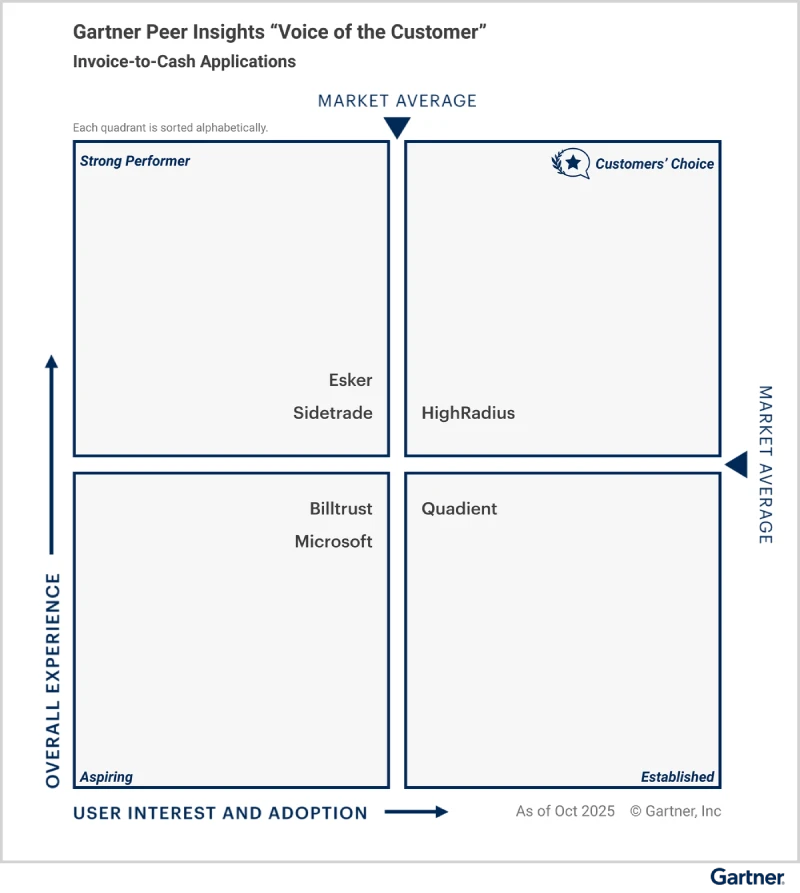
Explore why HighRadius has been a Digital World Class Vendor for order-to-cash automation software – two years in a row.

HighRadius stands out as an IDC MarketScape Leader for AR Automation Software, serving both large and midsized businesses. The IDC report highlights HighRadius’ integration of machine learning across its AR products, enhancing payment matching, credit management, and cash forecasting capabilities.

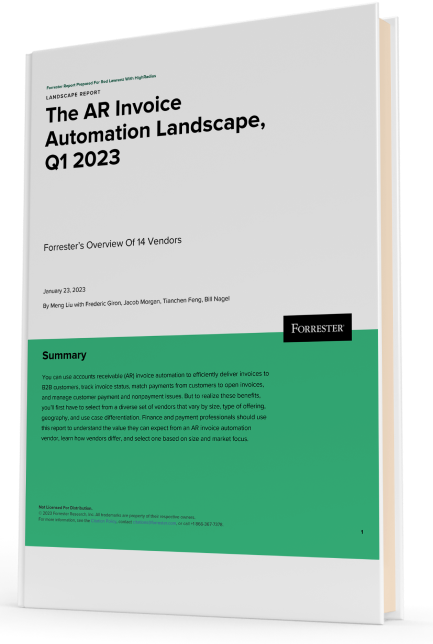
Forrester acknowledges HighRadius’ significant contribution to the industry, particularly for large enterprises in North America and EMEA, reinforcing its position as the sole vendor that comprehensively meets the complex needs of this segment.
Customers globally
Implementations
Transactions annually
Patents/ Pending
Continents
Explore our products through self-guided interactive demos
Visit the Demo CenterPlease fill in the details below
Please fill in the details below

We have seen financial services costs decline by $2.5M while the volume, quality, and productivity increase.

Colleen Zdrojewski
Trusted By 1300+ Global Businesses


