Managing finances is crucial to business success, regardless of size or industry. Effectively tracking invoices is a critical aspect of financial management, as invoices are essential for recording transactions, ensuring prompt payments, and maintaining a clear overview of financial performance.
Improper invoice tracking can lead to late payments, poor cash flow, and financial uncertainty. Learn how to streamline this process to save time and effort for your billing analysts and ensure your business stays on top of its finances.
Invoice tracking is the process of monitoring invoices throughout their lifecycle, from creation and delivery to approval, payment, and reconciliation. It provides real-time visibility into invoice status, due dates, and outstanding balances to ensure timely payments and accurate financial reporting.
By keeping track of its invoices, businesses can anticipate incoming revenue and plan expenditures more effectively, enhancing overall financial predictability.
Invoice tracking applies to both Accounts Receivable (AR) and Accounts Payable (AP) functions. In AR, it focuses on tracking customer invoices to accelerate collections and reduce Days Sales Outstanding (DSO). In AP, it helps businesses monitor vendor invoices to manage approvals, avoid late fees, and optimize outgoing cash flow.
| Aspect | Accounts Receivable (AR) | Accounts Payable (AP) |
| Type of invoices tracked | Invoices issued to customers | Invoices received from vendors |
| Primary objective | Accelerate collections and reduce DSO | Optimize payment timing and preserve working capital |
| Cash flow impact | Directly impacts cash inflow | Directly impacts cash outflow |
| Key activities | Payment follow-ups, dispute resolution, aging management | Invoice validation, approval workflows, payment scheduling |
| Performance focus | Revenue realization and collection efficiency | Cost control, compliance, and supplier relationship management |
There are some key details in invoices that provide a comprehensive picture of transactions and help businesses maintain organized financial records. Tracking these invoice details facilitates efficient record-keeping and simplifies the management and prioritization of unpaid invoices. This includes:

Invoice tracking plays a central role in maintaining financial stability and operational efficiency. Without structured monitoring of invoice lifecycles, businesses risk delayed payments, revenue leakage, and unpredictable cash flow. Below are the key financial and operational impacts of effective invoice tracking:
Tracking invoices in real time enables finance teams to anticipate incoming and outgoing cash flows more accurately. This improves liquidity planning and reduces reliance on short-term borrowing.
In Accounts Receivable, consistent monitoring of due dates and aging buckets allows teams to prioritize overdue invoices and accelerate collections, directly lowering DSO.
Missed follow-ups, billing discrepancies, and unresolved disputes can result in lost revenue. Invoice tracking ensures that outstanding balances and exceptions are identified and resolved promptly.
Centralized visibility reduces manual tracking efforts, eliminates duplicate work, and enables billing analysts to focus on high-priority accounts rather than administrative tasks.
Timely, accurate invoicing and proactive communication reduce disputes and improve trust with customers and vendors.
Structured tracking ensures that invoices are documented, validated, and traceable, reducing compliance risks and simplifying audits.
Businesses typically track invoices using either manual methods or automated systems, depending on transaction volume, complexity, and operational maturity.
Manual tracking involves using spreadsheets, email threads, or paper-based records to monitor invoice numbers, due dates, and payment status.
While suitable for low volumes, manual methods are time-consuming, prone to errors, and offer limited real-time visibility, making them difficult to scale.
Automated invoice tracking uses invoicing or ERP-integrated software to monitor invoices throughout their lifecycle. These systems centralize invoice data, provide real-time status updates, automate reminders, and generate aging reports.
Automation reduces manual effort, improves accuracy, and accelerates payment cycles.
| Aspect | Manual Tracking | Automated Tracking |
| System used | Spreadsheets or email | ERP-integrated invoicing software |
| Visibility | Limited and fragmented | Real-time centralized dashboards |
| Error risk | High due to manual entry | Reduced with validation checks |
| Follow-ups | Manual and reactive | Automated reminders and alerts |
| Scalability | Difficult at high volumes | Easily scalable |
| Reporting | Basic or manual reports | Advanced analytics and aging insights |
Effective invoice tracking does more than monitor invoice status, it directly influences working capital, cash flow predictability, and operational efficiency. When executed systematically, it improves several core finance metrics:
1. Days Sales Outstanding (DSO) – In finance, real-time visibility into invoice status helps prioritize follow-ups, resolve disputes faster, and accelerate collections, directly reducing DSO.
2. Invoice Cycle Time – Tracking invoices from creation to payment (or receipt to approval in AP) reduces bottlenecks and approval delays.
3. Aging Accuracy – Accurate tracking ensures aging reports reflect real-time invoice status rather than outdated spreadsheet entries.
4. Collection Effectiveness Index (CEI) – Structured tracking enables teams to measure how much of the receivables portfolio is being collected within a defined period.
5. Cash Flow Forecast Accuracy – Invoice tracking provides predictable insights into expected inflows (AR) and scheduled outflows (AP).
6. Dispute Resolution Time – Visibility into invoice history, communication logs, and status tracking reduces resolution delays.
| KPI | How Invoice Tracking Improves It | Business Impact |
| Days Sales Outstanding (DSO) | Enables faster follow-ups and quicker dispute resolution | Accelerated cash inflows and improved liquidity |
| Invoice Cycle Time | Identifies bottlenecks in billing and approval workflows | Faster processing and reduced operational delays |
| Aging Accuracy | Ensures real-time visibility into outstanding invoices | Better credit risk assessment and collection prioritization |
| Collection Effectiveness Index (CEI) | Tracks receivables performance against targets | Stronger collection performance visibility |
| Cash Flow Forecast Accuracy | Improves predictability of inflows and outflows | More reliable working capital planning |
| Dispute Resolution Time | Centralizes invoice status and communication tracking | Reduced revenue leakage and improved stakeholder relationships |
As invoice volumes grow, manual and fragmented tracking processes create operational and financial risks. Common challenges include:
Without structured invoice visibility, businesses face slower payment cycles, reduced forecast accuracy, and increased working capital pressure.
Effective invoice tracking requires structured processes, system integration, and disciplined follow-ups. The following best practices help strengthen visibility and control:
Automating invoice tracking replaces fragmented, manual monitoring with centralized, real-time visibility across the invoice lifecycle. By embedding automation and intelligence into tracking workflows, businesses gain greater control over cash flow, accuracy, and operational efficiency.
While automation ensures efficiency, AI adds predictive and decision-support capabilities:
HighRadius’ Electronic Invoicing solution strengthens invoice tracking by combining centralized visibility, workflow automation, and buyer-portal integration, helping finance teams increase productivity by up to 50%, reduce DSO by up to 3 days, and drive up to 30% higher electronic payment adoption.
By automating invoice delivery and status monitoring, businesses gain real-time insight into whether invoices are submitted, accepted, rejected, or pending in customer AP portals. With support for 100% automated digital invoice presentment across channels and formats, organizations eliminate manual follow-ups, reduce submission errors, and accelerate payment cycles.
With AP portal invoicing capabilities, invoices are automatically uploaded to customer-specific portals, removing the need for manual submission. The system continuously monitors acceptance status and validates invoices against buyer-defined criteria, ensuring non-compliant invoices are flagged or rejected early, preventing downstream disputes, reducing operational costs, and minimizing payment delays.
By improving submission accuracy, increasing electronic adoption, accelerating discrepancy resolution, and providing lifecycle-level visibility, HighRadius enables organizations to move from reactive invoice tracking to proactive invoice control, strengthening cash flow predictability and overall working capital performance.

The most effective way for businesses to track invoices is to use automation solutions that offer interactive features like e-invoicing. This software automates invoice delivery, tracks payment status, and integrates with accounting systems for comprehensive financial management.
An invoice tracker is a tool or system that allows businesses to monitor the lifecycle of invoices. It records details such as invoice numbers, due dates, amounts, and payment statuses, providing a centralized view to manage invoicing efficiently.
Yes, you can track invoices on a spreadsheet by manually entering and updating details like invoice dates, amounts, and payment status. However, tracking invoices on spreadsheets lacks automation and real-time updates, making it less efficient for large-scale invoicing operations.
Yes, invoicing software is crucial for efficient tracking. It automates invoicing processes, ensures accuracy, provides real-time insights into payment statuses, and integrates seamlessly with accounting systems, improving overall invoicing efficiency and financial management.
Positioned highest for delivering comprehensive automation across collections, credit, deductions, disputes, and multi-ERP integration - enabling standardized, scalable I2C transformation.
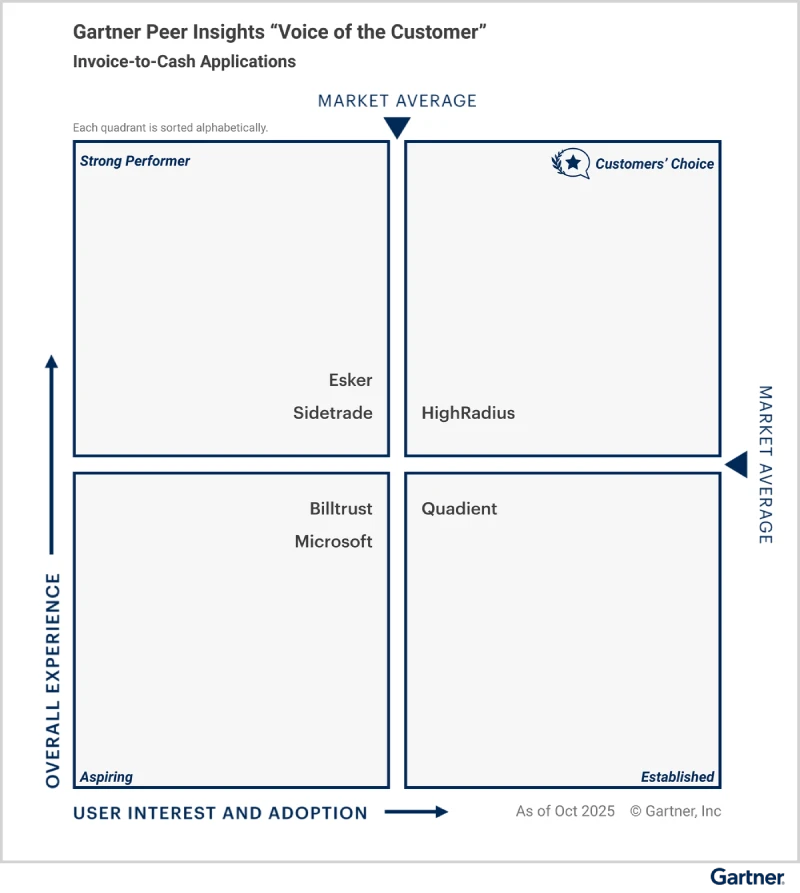
Explore why HighRadius has been a Digital World Class Vendor for order-to-cash automation software – two years in a row.

HighRadius stands out as an IDC MarketScape Leader for AR Automation Software, serving both large and midsized businesses. The IDC report highlights HighRadius’ integration of machine learning across its AR products, enhancing payment matching, credit management, and cash forecasting capabilities.

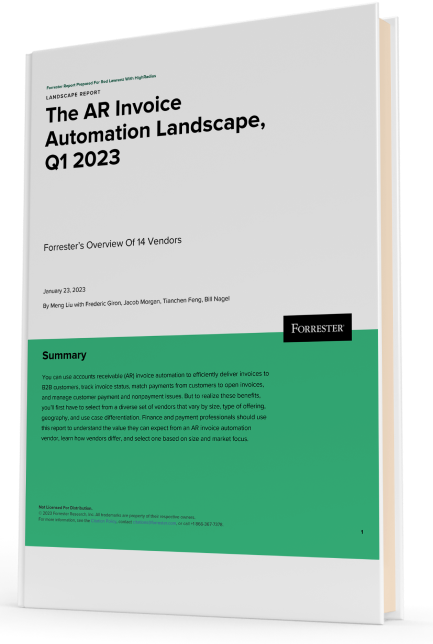
Forrester acknowledges HighRadius’ significant contribution to the industry, particularly for large enterprises in North America and EMEA, reinforcing its position as the sole vendor that comprehensively meets the complex needs of this segment.
Customers globally
Implementations
Transactions annually
Patents/ Pending
Continents
Talk with a finance expert about the processes, KPIs, and business outcomes that matter most to your organization.
Talk to a Finance ExpertExplore self-guided demos and see how finance workflows can move from manual execution to intelligent automation.
Explore the Demo CenterPlease fill in the details below
Please fill in the details below

We have seen financial services costs decline by $2.5M while the volume, quality, and productivity increase.

Colleen Zdrojewski
Trusted By 1300+ Global Businesses


