Eliminate Manual Reporting Errors with Financial Statement Software

Cut Report Preparation Time by 95% with One-Click P&L,
Balance Sheet, and Cash Flow Financial Statements

  • 80% Faster Financial Reporting
  • 100% Audit Ready and Compliant
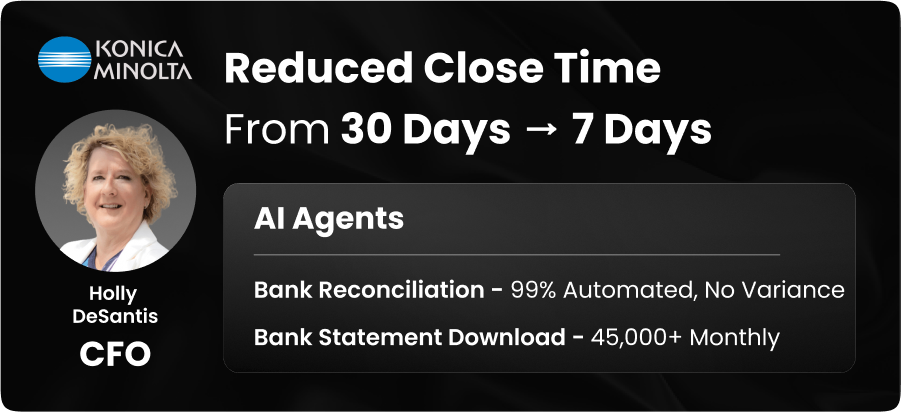
  • 30% Reduction in Days to Close

Trusted by 1300+ Global Businesses

trusted customer's logos

Gartner® Magic Quadrant™ for Record to Report (R2R)
Hackett Logo

HighRadius recognized as a Challenger in the 2025 Gartner® Magic Quadrant™ for Record to Report (R2R)

Access The Report
IDC
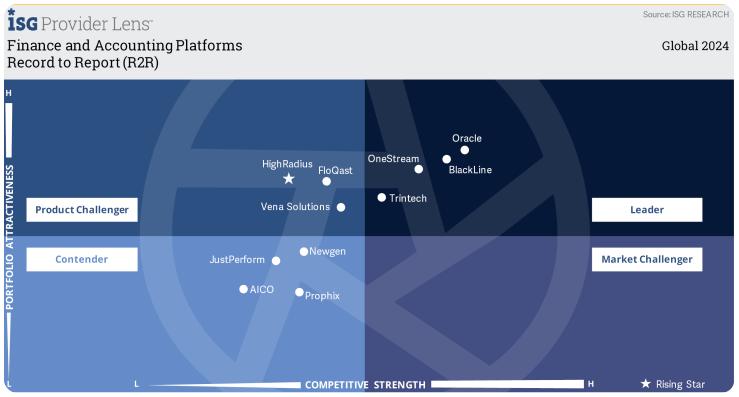
Rising Star ISG Provider Lens

HighRadius Named ‘Rising Star’ in 2024 ISG Provider Lens™ Finance and Accounting Platforms Report

AI Driven Innovations | Comprehensive R2R Suite

Access The Report
Risisng Star Report

HighRadius Named A ‘Leader’ in the IDC MarketScape: Worldwide Embedded Payment Applications 2024–2025.

Key AI Agents For Automated Financial Statement Software

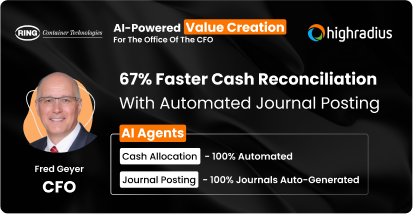
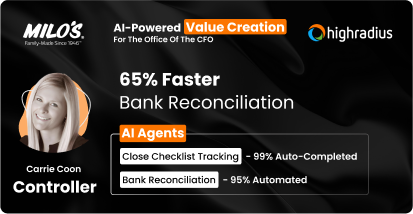
AI-Powered Value Creation at 1300+ Enterprises

Is a slow month-end close stalling your strategic growth?

Automate your financial statement generation to accelerate critical financial decisions

Watch Product Demo

Why HighRadius Financial Statement Software Outperforms Traditional Software

Consolidation Cycle Time
Financial Data Accuracy
Processing Costs
Team Productivity
Manual
Financial Reporting
Significant effort is spent manually matching trial balances and consolidating books.
High error risk exists due to manual data entry and complex spreadsheet-based mapping.
14-16% of effort is lost handling exceptions across the manual reporting cycle.
Up to 25% of bandwidth goes into manual data aggregation and variance queries.
HighRadius
AI Outcome
30% reduction in days to close with faster financial & management reporting.
95% accuracy across header and line-item data via automated AI mapping.
40% lower costs as AI resolves exceptions in pricing, tax, and missing data points.
40% productivity gain as AI handles high-volume, low-value reporting tasks.

How HighRadius Automated Financial Statement Software Works

  • Auto-Match Entries: Reconcile intercompany transactions across entities in real time.
  • Exception Alerts: Flag mismatches and route to owners instantly.
  • Smart Elimination: Automatically net out internal transactions during consolidation.
  • Audit Logs: Track every adjustment with full traceability.
  • Built-In FX Logic: Apply predefined exchange rates for multi-currency consolidation.
  • One-Step Conversions: Convert entity-level data into a single currency for reporting.
  • Duplicate Elimination: Auto-detect and eliminate duplicate intercompany entries.
  • Compliance Ready: Maintain full compliance with GAAP, IFRS, and global reporting requirements.
  • Built-In FX Logic: Apply predefined exchange rates for multi-currency consolidation.
  • One-Step Conversions:: Convert entity-level data into a single currency for reporting.
  • Duplicate Elimination: Auto-detect and eliminate duplicate intercompany entries.
  • Compliance Ready: Maintain full compliance with GAAP, IFRS, and global reporting requirements.
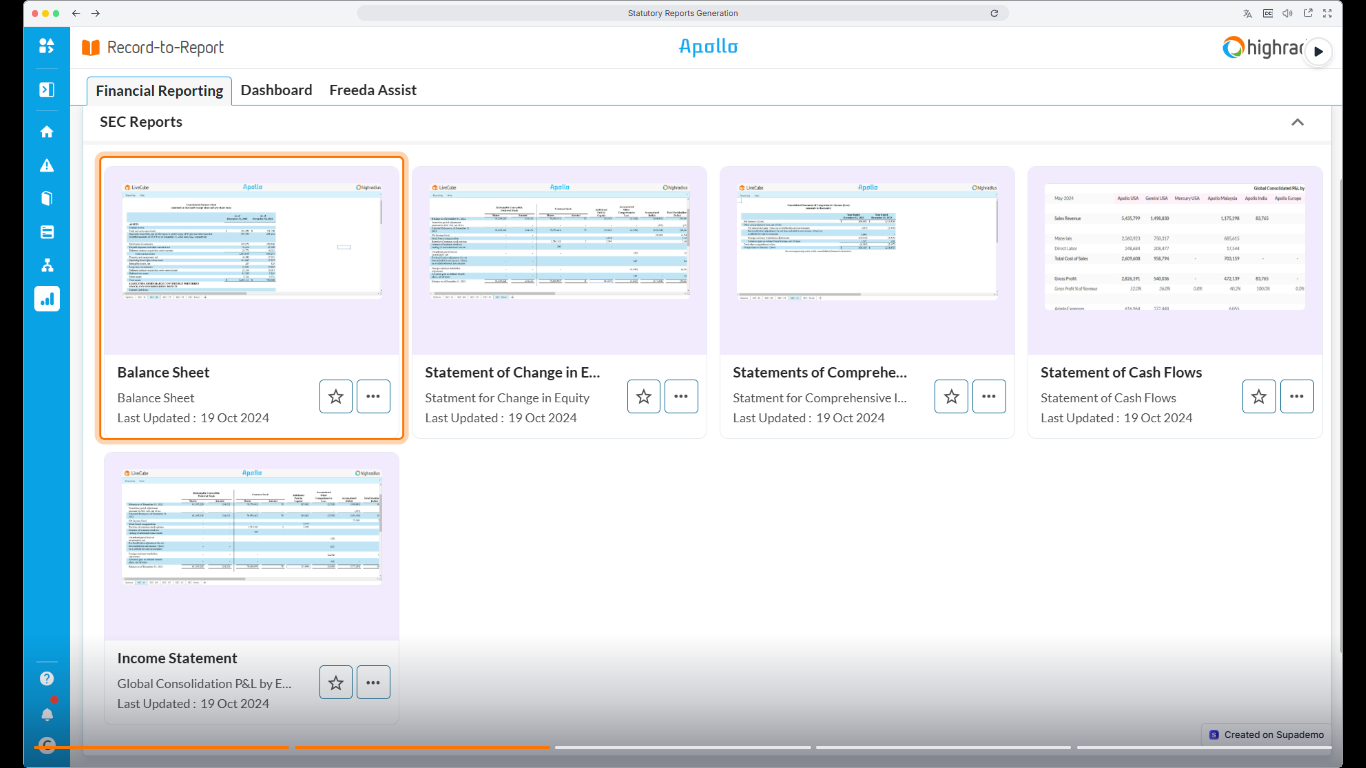
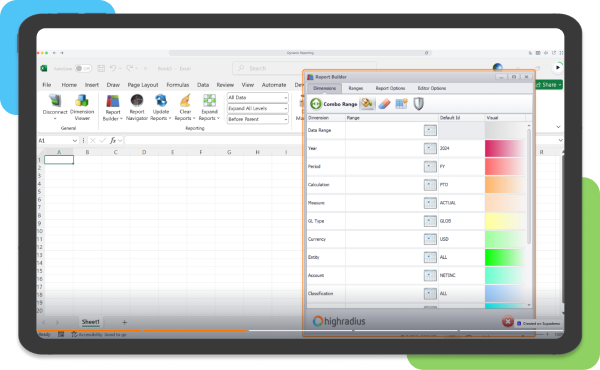
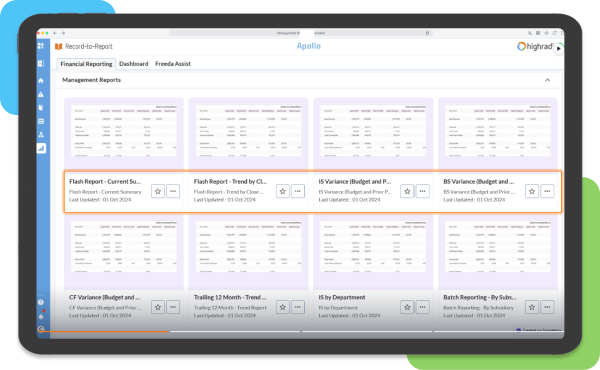
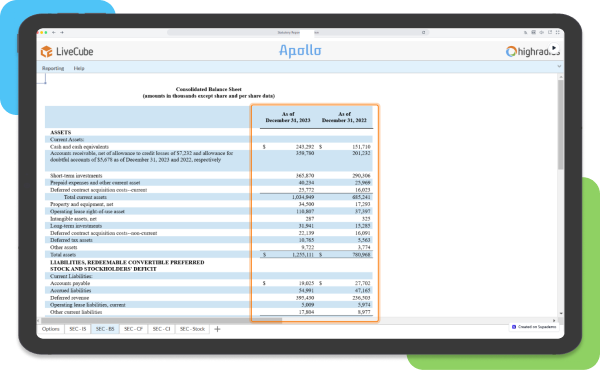
  • Fast, Audit-Ready Reports: Generate balance sheets, P&Ls, and cash flow statements in seconds.
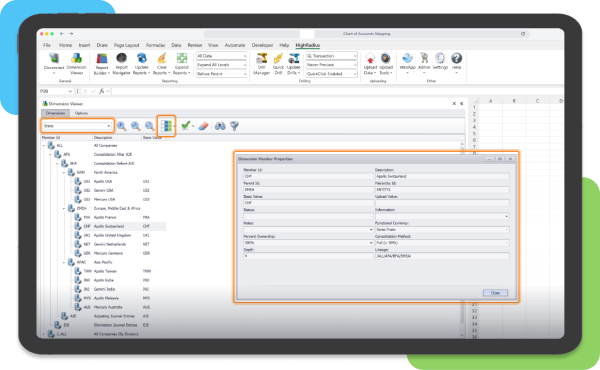
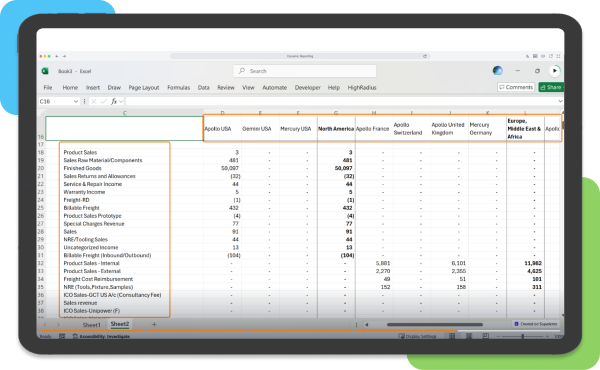
  • Configurable Templates: Customize reports by entity, region, or segment without IT dependency.
  • Narrative Reporting: Combine data and commentary in a single, export-ready report pack

Must-Have Resources for Smarter Financial Statements

Maximize Revenue: Step-By-Step Guide to Implementing an Automated Billing System

Buyer’s Guide to AI-Driven Financial Statement

Learn the key metrics businesses must consider when evaluating vendors for financial reporting software.

Download Vendor Guide
The Ultimate Guide to Adopting B2B Payment Processing Solutions in 2024

Monthly Financial Reporting Template for CFOs

Download this ready-to-use template to track essential financial KPIs and business health that CFOs care about most

Download Temlplate
11 Global Payment Formats

Top 10 Use Cases for AI-led Financial Reporting

Discover proven use cases of how AI is transforming financial reporting by accelerating month-end close by 30%.

Download Guide

Manual vs. Automated Financial Statements

Feature Manual Financial Statement Automated Financial Statement Software
Process Efficiency Slow, time-consuming manual matching of trial balances across disparate ERPs. AI-driven automation accelerates the month-end close and financial reporting cycles.
Data Accuracy Prone to human errors during manual COA mapping and line-item data entry. Real-time AI validation and mapping ensures 95% data accuracy across all financial dimensions.
Compliance & Auditing Manual tracking of intercompany eliminations increases the risk of audit failures. Automated audit trails and change logs ensure full compliance and data transparency.
Resource Allocation Finance teams waste hours on repetitive data ingestion and manual adjustments. HighRadius enables finance teams to prioritize high-impact variance analysis and other strategic tasks.
Scalability Struggles to handle multi-entity structures and complex currency conversions. Seamlessly adapts to global needs via automated FX sync and multi-currency configuration.
Risk Management High risk of misreporting due to fragmented data and spreadsheet-based consolidation. AI-powered insights and automated variance commentary reduce financial and compliance risks.

Benefits of Automated Financial Statement Software

1

Unified Data Consolidation & Workflow Automation

Centralize recurring transactions across all entities and currencies automatically. This unified workflow eliminates data fragmentation, allowing your financial reporting to scale effortlessly while maintaining absolute data integrity and process transparency at every level.

2

Intelligent Reconciliation & Close Efficiency

Accelerate your financial close by automating data validation and instantly flagging discrepancies. Intelligent workflows eliminate manual bottlenecks, allowing finance teams to shift from tedious error correction to driving high-level, strategic business decisions.

3

Compliance with GAAP and IFRS

Ensure every report is audit-ready by automatically applying the latest GAAP and IFRS standards. Built-in validation checks maintain consistency across jurisdictions, removing the manual burden of staying current with complex, shifting regulations.

4

360-Degree Financial Visibility

Access a 360-degree view of financial performance through centralized, real-time dashboards. Interactive reports enable instant drill-downs into revenue and cash flow, ensuring leadership makes data-backed decisions based on live, accurate organizational health.

5

Predictive Analytics & Strategic Forecasting

Transform raw financial data into actionable intelligence using predictive analytics. Identify revenue trends and forecast cash flow with precision, allowing your team to proactively mitigate financial risks before they impact the bottom line.

6

Enhanced forecasting accuracy

With machine learning and predictive analytics, transform raw financial data into powerful business intelligence. Identify revenue trends, forecast cash flow with greater accuracy, and proactively detect financial risks before they escalate.

With HighRadius’ Automated Financial Statement Software, You Can Achieve

99% Reconciliation Accuracy
95% Auto-Journal Posting
90% Improved Variance Analysis
30% Reduction in Days to Close

What Is Financial Statement Software?

Financial statement software serves as a centralized engine for your reporting cycle, replacing the manual burden of reconciliations and consolidations with seamless automation. By pulling data directly from your GL, it eliminates the risks associated with manual entry and ensures your balance sheets and income statements are consistently boardroom-ready.

This tool provides a rigorous layer of oversight, identifying discrepancies and audit trails long before they reach a formal report. It moves your team beyond the exhaustion of the month-end close, delivering real-time regulatory compliance and data integrity that protects your company’s financial narrative.

Implementing this solution shifts your department’s value from basic data processing to high-level strategic analysis. By removing the technical bottlenecks of statement preparation, you gain the clarity and bandwidth necessary to turn cash flow insights into actionable business growth.

Isometric illustration showing a financial dashboard with an upward arrow, coins, and a calculator, representing optimized reporting

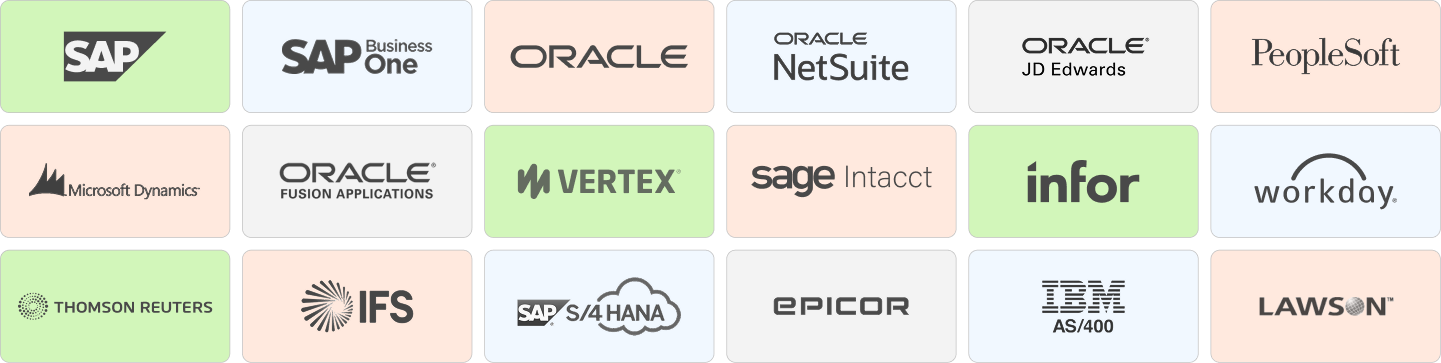
HighRadius Financial Statement Software Integrates with 50+ ERPs

erp-solutions

How To Choose The Right Financial Statement Software

From selecting the right software to scaling workflows, these steps guide businesses in successfully transitioning to automated financial statement generation and improving reporting outcomes

1 Define Reporting & Compliance Gaps

Audit your current month-end close to identify where manual data entry causes delays or errors. Prioritize software that specifically addresses these identified compliance risks.

2 Verify ERP & Data Integration

Ensure the software offers "out-of-the-box" connectivity with your existing ERP. Seamless data flow is critical for multi-entity consolidation and maintaining a single source of truth.

3 Evaluate Real-Time Analytics & UX

Select a platform that provides live dashboards and self-service reporting. The interface must allow finance people to perform variance analysis and generate insights instantly.

4 Confirm Audit Trails & Governance

Verify built-in regulatory frameworks (GAAP/IFRS) and automated approval workflows. This ensures your statements remain "audit-ready" with minimal manual oversight.

FAQs: AI-Powered FAQs: Automated Financial Statement Software Solutions

What is financial statement software?

Financial statement software is a specialized tool designed to automate the preparation of a company’s core financial reports, such as balance sheets, income statements, and cash flow statements. It pulls data directly from general ledgers to ensure that financial reporting is accurate, standardized, and compliant with accounting frameworks like GAAP or IFRS.

How does financial statement automation improve reporting speed?

Using automated financial reporting tools eliminates the need for manual data entry and complex spreadsheet linking. By integrating directly with your ERP, the software can generate real-time statements, reducing the month-end close cycle from weeks to just a few days.

What are the common problems with manual financial statement preparation?

Manual preparation is highly susceptible to human error, particularly during data consolidation from multiple entities. Without financial statement software, finance teams often struggle with “version control” issues in spreadsheets, lack of a clear audit trail, and delayed insights that make proactive decision-making impossible.

What is the impact of financial statement software on enterprise-level businesses?

For large enterprises, automated financial consolidation software is transformative. It allows for the seamless merging of data across different currencies, tax jurisdictions, and subsidiaries. This provides leadership with a “single source of truth,” ensuring that global performance metrics are consistent and transparent for stakeholders.

How does financial statement software ensure regulatory compliance?

Modern financial reporting solutions include built-in validation rules and audit logs. They automatically apply the latest accounting standards and provide a digital paper trail for every adjustment made, significantly reducing the risk of non-compliance during external audits or SEC filings.

What should be the key considerations when choosing financial statement software?

When evaluating financial statement management tools, prioritize the following:

  • Integration Capabilities: Does it connect natively to your existing ERP or GL?
  • Scalability: Can it handle multi-entity consolidations and currency conversions?
  • Security: Does it offer role-based access controls and SOC 2 compliance?
  • Ease of Use: Is the interface intuitive for non-technical finance users?

What is the ROI of implementing a financial statement automation system?

The ROI of financial statement software is realized through significant labor savings (fewer hours spent on manual reconciliation) and the mitigation of costly reporting errors. Additionally, the value of “real-time visibility” allows CFOs to optimize capital allocation, which can lead to improved profit margins over time.

Can financial statement software integrate with legacy accounting systems?

Yes, most advanced financial reporting platforms utilize APIs or secure file transfer protocols (SFTP) to bridge the gap with legacy systems. This allows businesses to modernize their reporting and analytics layer without the massive expense and risk of a full ERP replacement.

Accounts Receivable Solutions

Accounts Receivable Software | Collection Software | Cash Application Automation | Credit Risk Management | Credit Management | Credit & Collection | EIPP | Electronic Invoicing | Invoice to Cash | Invoice Collection | B2B Payments | Order to Cash | O2C Analytics | Integrated Receivable | Deduction Management | Credit Application | Credit Scoring | Exception Management | Dispute Management | Trade Promotion | Dunning Management | Financial Data Aggregation | Remittance Processing | Collaborative Accounts Receivable | Remote Deposit Capture | Credit Risk Monitoring | Credit Decisions Engine

Accounts Payable Solutions

AP Automation | Invoice Processing | Invoice Scanning & Capture | Invoice Coding | Invoice Approval | Invoice Matching | Invoice Management | Supplier Management | Supplier Onboarding | Dynamic Discounting | Vendor Payment

Financial Reconciliation & Close Solutions

Account Reconciliation | Financial Close | Bank Reconciliation | Balance Sheet Reconciliation | Payment Reconciliation | Transaction Matching | SOX Software | General Ledger Reconciliation | Journal Entry | Variance Analysis| Financial Consolidation | Financial Reporting | Financial Reconciliation

Treasury & Cash Management Solutions

Treasury Management | Cash Flow Forecasting | Cash Management | Cash Flow Management | Revenue Recognition | Liquidity Management

Resources

Days Sales Outstanding | Collection Dispute Letter | Accounts Receivable Days Formula | Credit Dispute Letter | Accounts Receivable Days Outstanding | Accounts Receivable Collections | Accounts Receivable Report | Accounts Receivable Aging Report | Accounts Receivable Process | Credit Scoring Model | Dispute Management | Debt Collection Call Script | Credit Risk Management Techniques | Accounts Receivable Department | 609 Credit Dispute Letter | Order to Cash Automation | Collections Performance Metrics | How to Determine Credit Worthiness | B2B Credit Application | Credit & Collection Technology | Accounts Receivable Automation | Accounts Receivable Solutions | Electronic Invoicing Process

Ebooks, Templates, Whitepapers & Case Studies

Accounts Receivable Dashboard | Credit and Collection Goals | DSO Calculation Template | Accounts Receivable Aging Report Template | Business Credit Scoring Model | AR Aging Worklist Prioritization | Collection Email Templates | Strategies to Reduce DSO | Collection Maturity Model Template | Credit & Collection Email Templates | Credit Policy Sample | Credit Application Checklist Spreadsheet Template | Collection Email Automation with Excel